Table of Contents
Shopping for a laptop in Pakistan with a tight budget can feel overwhelming. You want something that works well, lasts long, and doesn’t drain your wallet. The good news? You can find solid laptops under 50,000 rupees that handle everyday tasks without breaking down after a few months.
Whether you’re a student cramming for exams, a freelancer managing clients, or someone who just needs a reliable machine for work, this guide will help you make the right choice.
What Can You Actually Get for 50,000 Rupees?
Let’s be honest. At this price point, you’re mostly looking at refurbished or pre-owned business laptops. But before you roll your eyes, hear me out. These aren’t your average hand-me-downs. Business-class laptops from brands like Dell, HP, and Lenovo were built to last. Companies buy them for employees who use them hard every single day.
When these laptops get replaced after a few years, they still have plenty of life left. That’s where you come in. You get professional-grade quality at student-friendly prices.
Top Laptops Worth Your Money
Based on current market availability, here are the laptops that give you the best value:
Quick Comparison Table
| Laptop Model | Processor | RAM | Storage | Price Range | Best For |
|---|---|---|---|---|---|
| Lenovo ThinkPad L390 | Core i5 8th Gen | 8GB | 256GB SSD | 45,000 – 48,000 | Students, Office Work |
| Dell Latitude 5490 | Core i5 7th/8th Gen | 8GB | 256GB SSD | 42,000 – 47,000 | Multitasking, Business |
| Dell Latitude 5480 | Core i5 7th Gen | 8GB | 256GB SSD | 40,000 – 45,000 | Budget-Conscious Buyers |
| HP EliteBook 840r G4 | Core i5 7th Gen | 8GB | 256GB SSD | 44,000 – 49,000 | Remote Work, Travel |
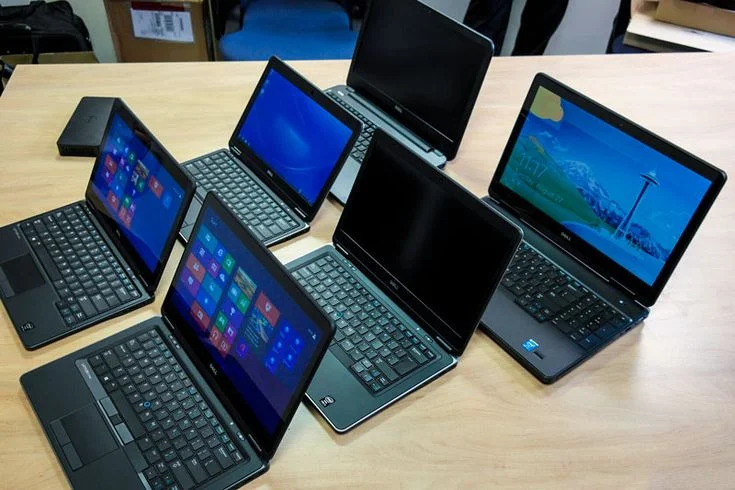
Lenovo ThinkPad L390
The ThinkPad series has a reputation for being nearly indestructible. The L390 comes with an 8th generation Intel Core i5 processor, which is still powerful enough for most tasks in 2025. You get 8GB RAM and a 256GB SSD, which means fast boot times and smooth performance.
The keyboard is excellent. If you type a lot, you’ll appreciate the comfortable key travel and layout. Battery life is decent too, usually giving you 4-6 hours depending on usage.
Who should buy this: Students who need something reliable for assignments and research. Freelancers who work on documents, spreadsheets, and web browsing.
Dell Latitude 5490
Dell’s Latitude series is another business favorite. The 5490 model offers similar specs to the ThinkPad but comes in a slightly different package. You can find versions with either 7th or 8th gen processors, so make sure to check before buying.
The build quality is solid. It feels sturdy without being too heavy. The screen is clear enough for long working hours, and the trackpad responds well. Dell laptops generally have good port selection too, which matters when you need to connect external devices.
Who should buy this: Anyone who needs a dependable workhorse. It handles video calls, multiple browser tabs, and office software without slowing down.
Dell Latitude 5480
If you want to save a bit more money, the 5480 is worth considering. It’s slightly older than the 5490 but still performs well for basic tasks. You sacrifice a little on processor speed, but for everyday use, you probably won’t notice much difference.
This is the sweet spot for budget buyers who want brand reliability without stretching their finances.
Who should buy this: First-time laptop buyers, students on tight budgets, or anyone who needs a backup computer.
HP EliteBook 840r G4
HP’s EliteBook line sits at the premium end of business laptops. The 840r G4 is slim, light, and looks more expensive than it is. If appearance matters to you, this one stands out. The screen quality is better than most in this range, and the overall finish feels polished.
Performance-wise, it matches the other laptops here. The main selling point is portability and design. If you travel often or work from different locations, the EliteBook is easy to carry around.
Who should buy this: Professionals who meet clients, anyone who values aesthetics, or people who need something portable.
What to Check Before You Buy
Shopping for used laptops requires more attention than buying new ones. Here’s what you need to verify:
Battery Health: This is huge. A laptop with a dead battery is basically a desktop. Ask the seller for a battery report or video showing the battery percentage and estimated runtime. Aim for at least 70% health.
Physical Condition: Check for cracks, dents, or loose hinges. Small scratches are fine, but major damage could mean internal problems too.
Screen Quality: Look for dead pixels, bright spots, or discoloration. Open a white page and a black page to inspect the screen properly.
Keyboard and Trackpad: Press every key. Make sure nothing sticks or feels weird. Test the trackpad’s responsiveness.
Ports and Connectivity: Plug in a USB device. Test the charging port. Check if Wi-Fi and Bluetooth work.
Warranty: Reputable sellers offer at least a 3-month warranty. Some even provide a 3-day return policy. Don’t buy from anyone who refuses to give any guarantee.
Storage and RAM: Why They Matter
Most laptops in this price range come with 8GB RAM and 256GB SSD. This combination works well for:
- Browsing with 10-15 tabs open
- Working on documents and spreadsheets
- Video streaming
- Light photo editing
- Basic coding and development
If you need more storage later, external hard drives are cheap. But make sure the laptop has an SSD, not an old hard drive. The speed difference is massive. An SSD makes even an older laptop feel fast and responsive.
Where to Buy in Pakistan
You have several options:
Online Marketplaces: OLX and Daraz have plenty of listings. The advantage is variety. The downside is you’re dealing with random sellers. Check reviews, ask for videos, and meet in public places if buying locally.
Specialized Laptop Stores: Places like Haroon Traders, Alaqsa Computers, and Intag Laptops focus on refurbished business laptops. They test their products, offer warranties, and have return policies. You pay slightly more than OLX, but the peace of mind is worth it.
Local Computer Markets: Hafeez Center in Lahore, Empress Market in Karachi, and similar hubs have numerous shops. You can inspect laptops in person and negotiate prices. Just be careful and test everything before handing over money.
New vs. Used: The Reality Check
Can you get a new laptop for 50,000 rupees? Technically yes, but it won’t be good. New laptops at this price usually have:
- Celeron or low-end processors
- 4GB RAM (barely enough today)
- Slow hard drives instead of SSDs
- Poor build quality
- Limited battery life
A refurbished business laptop gives you much better specs and durability. Companies like Dell and HP design these machines to last 5-7 years. Even after 2-3 years of corporate use, they still have plenty of life left.
Common Concerns Answered
Are refurbished laptops reliable?
Yes, if you buy from reputable sellers. Business laptops are built better than consumer models. They go through quality checks before being resold.
What about software?
Most come with Windows 10 or 11 pre-installed. Make sure it’s activated. Some sellers provide this as part of the deal.
Can I upgrade later?
Many of these models let you add more RAM or replace the SSD with a bigger one. This extends their useful life even further.
How long will these laptops last?
With proper care, expect 2-4 more years of solid performance. That’s excellent value for money.
Final Thoughts
Finding a laptop under 50,000 rupees in Pakistan means making smart compromises. You won’t get the latest processors or gaming performance. But you can get a reliable machine that handles work, study, and entertainment without frustration.
Focus on business-class refurbished models. They offer the best combination of quality, performance, and price. Check the laptop thoroughly before buying, and always go with sellers who provide warranties.
The laptops mentioned in this guide have proven track records. They’re not exciting or flashy, but they work. And sometimes, that’s exactly what you need.
Remember, the cheapest option isn’t always the best value. Spend a few thousand more if it gets you better specs or a proper warranty. Your laptop is a tool you’ll use every day. Invest in something that won’t let you down.
Happy shopping!
FAQs
Which is the best laptop under 50,000 in Pakistan?
The Lenovo ThinkPad L390 and Dell Latitude 5490 are top choices under 50,000 rupees. Both offer Core i5 8th gen processors, 8GB RAM, and 256GB SSD. The ThinkPad has a better keyboard, while the Dell Latitude offers excellent build quality and port selection.
Can I get a new laptop for 50,000 in Pakistan?
Yes, but it’s not recommended. New laptops at 50,000 PKR typically have weak Celeron processors, 4GB RAM, and slow hard drives. Refurbished business laptops like Dell Latitude or HP EliteBook offer much better specs and durability at the same price.
Are refurbished laptops reliable in Pakistan?
Refurbished business-class laptops from Dell, HP, and Lenovo are very reliable. These models were built for corporate use with premium components. When purchased from reputable sellers with warranties, they offer 2-4 years of dependable performance.
What specs should I look for in a laptop under 50,000?
Look for at least a Core i5 7th or 8th gen processor, 8GB RAM, and 256GB SSD storage. Avoid laptops with regular hard drives as they’re much slower. Check battery health (aim for 70%+ capacity) and ensure the seller provides a minimum 3-month warranty.
Where can I buy laptops under 50,000 in Pakistan?
You can buy from online marketplaces like OLX and Daraz, specialized refurbished laptop stores like Haroon Traders, or local computer markets such as Hafeez Center (Lahore) and Empress Market (Karachi). Always choose sellers offering warranties and return policies.
How long will a 50,000 rupee laptop last?
A quality refurbished business laptop purchased for 50,000 rupees should last 2-4 years with normal use. Business-class models from Dell, HP, and Lenovo are designed for 5-7 year lifecycles, so even used units have significant life remaining.
What’s the difference between SSD and HDD?
An SSD (Solid State Drive) is 5-10 times faster than an HDD (Hard Disk Drive). Laptops with SSDs boot in 10-15 seconds, open apps instantly, and feel responsive. Always choose a laptop with SSD, even if it has less storage capacity.
Can I upgrade RAM and storage later?
Yes, most Dell Latitude, HP EliteBook, and Lenovo ThinkPad models allow RAM and storage upgrades. You can typically expand RAM to 16GB or 32GB and replace the SSD with a larger capacity drive, extending your laptop’s useful life.