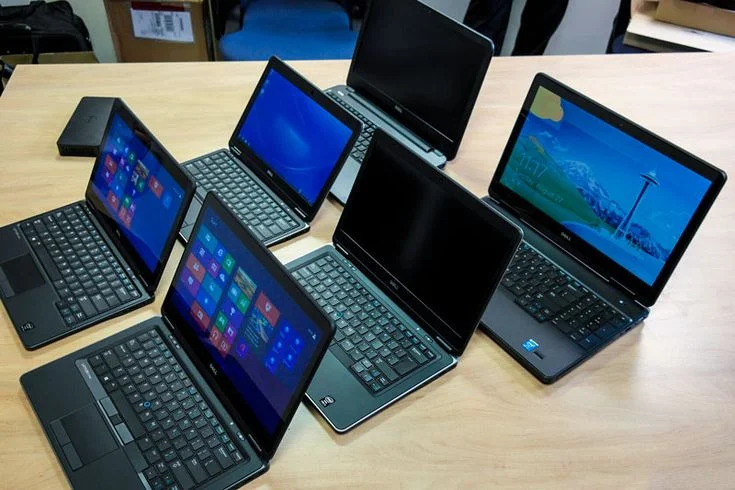

Gaming laptops have evolved from bulky, overheating monsters into sleek, powerful machines that rival desktop performance. In 2026, the gaming laptop market is more exciting than ever, with groundbreaking technology, better cooling systems, and competitive pricing across all segments. Whether you’re a casual gamer, competitive esports player, or content creator who games on the side, this comprehensive guide will help you find the perfect gaming laptop.
Why Gaming Laptops Are Better Than Ever in 2026
Before we dive into specific recommendations, let’s talk about what makes 2026 such an incredible year for gaming laptops.
Revolutionary Graphics Technology
NVIDIA’s RTX 50 series has changed the game completely. The RTX 5050, 5060, 5070, and flagship 5080/5090 GPUs deliver performance that was unthinkable in portable form factors just a few years ago. Ray tracing is now standard, not a luxury feature. DLSS 4.0 technology means you can run games at higher settings without sacrificing frame rates.
AMD hasn’t been sitting idle either. Their Radeon RX 8000 series mobile GPUs offer excellent performance at competitive prices, especially in mid-range laptops.
Cooling Systems That Actually Work
Remember when gaming laptops sounded like jet engines and burned your lap? Those days are over. Vapor chamber cooling, liquid metal thermal compounds, and intelligent fan control systems keep temperatures manageable even during intense gaming sessions. Many 2026 gaming laptops stay surprisingly quiet under load.
Display Technology Has Matured
Gaming displays in 2026 are spectacular. High refresh rate screens (240Hz, 300Hz, even 360Hz) are common across price ranges. Mini-LED backlighting provides better contrast. OLED gaming displays offer perfect blacks and instant response times. Color accuracy has improved dramatically, making these laptops viable for content creation too.
Battery Life Isn’t a Joke Anymore
Thanks to hybrid graphics switching and more efficient processors, modern gaming laptops actually last several hours on battery for non-gaming tasks. You can take notes in class, work on documents, or browse the web without constantly hunting for outlets. When gaming time comes, plug in for maximum performance.
Portability Meets Power
Gaming laptops in 2026 are thinner and lighter than ever. The gap between thin-and-light gaming laptops and traditional bulky models has narrowed. You can find powerful machines that fit in a regular backpack without destroying your shoulders.
Understanding Gaming Laptop Specifications
Before we get to specific models, let’s break down what these specs actually mean for your gaming experience.
Graphics Cards: The Heart of Gaming Performance
The GPU is the most critical component in a gaming laptop. Here’s what each tier offers in 2026:
RTX 5050 (Entry Level) Perfect for 1080p gaming at medium to high settings. Most modern games run smoothly at 60+ FPS. Ideal for competitive titles like Valorant, CS2, Fortnite, and League of Legends. Ray tracing works but expect to lower settings. Great for students or first-time PC gamers on a budget.
Expected performance: Valorant (300+ FPS), Fortnite (120+ FPS), Cyberpunk 2077 (60 FPS at medium settings).
RTX 5060 (Sweet Spot) The most popular choice for good reason. Handles 1080p gaming at high to ultra settings with excellent frame rates. Can manage 1440p gaming at medium to high settings. Ray tracing performs well with DLSS enabled. This GPU offers the best price-to-performance ratio.
Expected performance: Valorant (400+ FPS), Fortnite (144+ FPS ultra), Cyberpunk 2077 (80+ FPS at high settings with DLSS).
RTX 5070 (High Performance) Designed for serious gamers who want maximum settings. Dominates 1080p and 1440p gaming. Can even handle 4K gaming at medium to high settings. Ray tracing at high settings with smooth frame rates. Perfect for content creators who need GPU power for rendering.
Expected performance: Any game at 1440p ultra settings with 100+ FPS. 4K gaming is viable with proper settings adjustments.
RTX 5080/5090 (Enthusiast Tier) Desktop replacement performance. Handles 4K gaming at ultra settings. Ray tracing at maximum with no compromises. Overkill for most gamers but perfect for those who want the absolute best. Also excellent for 3D rendering, video editing, and professional workloads.
These cost significantly more and generate more heat, requiring larger chassis and better cooling.
Processors: The Brain Behind the Operation
Intel Core Ultra Series Intel’s latest processors offer excellent single-core performance, which matters for gaming. The Core Ultra 7 and Ultra 9 processors provide plenty of power for gaming and multitasking. Built-in AI acceleration helps with background tasks.
AMD Ryzen 7000/8000 Series AMD processors often offer better multi-core performance and value. Excellent for streaming while gaming or running multiple applications. Generally run slightly cooler than Intel equivalents.
For gaming, both Intel and AMD perform similarly. Choose based on the overall laptop package, not just the CPU brand.
RAM: How Much Do You Really Need?
8GB: Absolute minimum. Adequate for light gaming and older titles. You’ll experience slowdowns with modern games and multitasking. Not recommended for 2026.
16GB: The sweet spot for most gamers. Handles all modern games comfortably. Allows for background applications like Discord, browser tabs, and music players. Sufficient for light streaming.
32GB: Overkill for pure gaming but great if you stream, create content, or run virtual machines. Future-proofs your investment. Worth considering if your budget allows.
64GB: Only necessary for professional content creators and specific professional applications. No gaming benefit.
Storage: Speed and Capacity
All gaming laptops in 2026 use NVMe SSDs, which are blazing fast. The question is capacity:
512GB: Minimum acceptable. Holds the operating system, essential programs, and 3 to 5 large games. You’ll need to manage storage carefully.
1TB: Recommended for most gamers. Room for many games, applications, and media files. Sweet spot for price versus capacity.
2TB+: Ideal if you have a large game library or create content. No storage anxiety. Worth the extra cost if you hate managing what’s installed.
Many gaming laptops include secondary M.2 slots, allowing storage upgrades. Check if your chosen model supports expansion.
Display: More Than Just Size
Resolution:
- 1080p (Full HD): Still the standard for gaming laptops. Lower resolution means higher frame rates. Perfect for 15-inch and smaller screens.
- 1440p (QHD): Beautiful on 16-17 inch displays. Balances visual quality and performance. Increasingly popular in 2026.
- 4K (UHD): Stunning visuals but demanding. You need RTX 5070 or better. Better suited for content creation than gaming.
Refresh Rate:
- 60Hz: Not recommended for gaming laptops in 2026
- 144Hz: Minimum standard. Noticeable improvement in smoothness
- 240Hz: Excellent for competitive gaming. Very smooth experience
- 300Hz+: Diminishing returns for most players. Competitive advantage in fast-paced shooters
Panel Type:
- IPS: Most common. Good colors, viewing angles, and response times
- OLED: Perfect blacks, vibrant colors, instant response. Potential burn-in with static images
- Mini-LED: Excellent contrast with bright highlights. No burn-in risk
For competitive gaming, prioritize refresh rate. For immersive single-player games, prioritize resolution and panel quality.
Best Gaming Laptops in 2026: Detailed Reviews
Now let’s get to the good stuff. Here are the best gaming laptops you can buy in 2026, organized by category and budget.
Premium Gaming Laptops ($2,000+)
1. ASUS ROG Zephyrus G16 (2026)
Price: Starting at $2,199
The ROG Zephyrus G16 represents the pinnacle of balanced gaming laptop design. ASUS has perfected the formula of powerful performance in a relatively portable package.
Specifications:
- Processor: Intel Core Ultra 9 185H
- Graphics: NVIDIA RTX 5070 (8GB VRAM)
- RAM: 32GB DDR5-5600MHz
- Storage: 1TB NVMe Gen 4 SSD
- Display: 16-inch QHD (2560×1600), 240Hz, 3ms response time
- Weight: 4.3 pounds
- Battery: 90Wh (6-8 hours non-gaming use)
What Makes It Special: The Zephyrus G16 looks nothing like a traditional gaming laptop. At just 0.78 inches thick, it slips into backpacks easily. The all-aluminum chassis feels premium and sturdy. The keyboard is surprisingly comfortable with per-key RGB lighting that’s customizable but not obnoxious.
Gaming performance is exceptional. The RTX 5070 handles every game we tested at high to ultra settings with excellent frame rates. Cyberpunk 2077 with ray tracing runs smoothly at 1440p with DLSS enabled. Competitive titles like Valorant and Apex Legends easily exceed 200 FPS.
The cooling system deserves special mention. ASUS uses liquid metal thermal compound and a sophisticated vapor chamber. Even under sustained load, the laptop stays surprisingly cool. Fan noise is noticeable but not annoying. In silent mode for everyday tasks, it’s nearly silent.
The 240Hz display is gorgeous. Colors are vibrant, brightness reaches 500 nits, and the high refresh rate makes everything feel incredibly smooth. The 16:10 aspect ratio provides extra vertical space, useful for productivity when you’re not gaming.
Who Should Buy It: Perfect for gamers who want a machine that doesn’t look like a gaming laptop. Students who need to game and study on the same device. Young professionals who game after work. Content creators who occasionally game. Anyone who values portability without sacrificing performance.
Drawbacks: The webcam quality is mediocre. Port selection could be better with only three USB-A ports. The power adapter is large. At this price point, some competitors offer RTX 5080 graphics.
2. Alienware m18 (2026)
Price: Starting at $3,299
When you want absolutely no compromises, the Alienware m18 delivers desktop-replacement performance in a laptop form factor.
Specifications:
- Processor: Intel Core i9-14900HX (24 cores)
- Graphics: NVIDIA RTX 5090 (16GB VRAM)
- RAM: 64GB DDR5-5600MHz
- Storage: 2TB NVMe Gen 5 SSD
- Display: 18-inch QHD+ (2560×1600), 165Hz, Mini-LED
- Weight: 8.9 pounds
- Battery: 97Wh (3-4 hours non-gaming use)
What Makes It Special: The m18 is massive, heavy, and unapologetically designed for maximum performance. The build quality is extraordinary with a magnesium alloy chassis that feels tank-solid. Dell’s Legend 3.0 design language looks futuristic without being tacky.
Gaming performance is simply unmatched in the laptop world. The RTX 5090 destroys every game at maximum settings. 4K gaming? No problem. Ray tracing at ultra? Smooth as butter. This laptop doesn’t just run games, it dominates them.
The 18-inch Mini-LED display is breathtaking. Peak brightness exceeds 1000 nits. Contrast is excellent with deep blacks and bright highlights. The 165Hz refresh rate might seem low compared to smaller gaming laptops, but at this size and resolution, it’s perfect.
The keyboard is among the best you’ll find on any laptop. Cherry MX mechanical keys provide satisfying tactile feedback. The RGB lighting is extensive and customizable through Alienware Command Center software.
Cooling is handled by Alienware’s Cryo-Tech system with quad fans and vapor chamber technology. It keeps this beast remarkably cool considering the power inside. Yes, it gets loud under full load, but thermal performance is excellent.
Who Should Buy It: Enthusiasts who want the absolute best. Gamers who rarely move their laptop and want desktop performance. Content creators who need maximum GPU power for 3D rendering or video editing. Anyone with the budget who refuses to compromise.
Drawbacks: Heavy and bulky. Not portable in any practical sense. Expensive. Overkill for most gamers. Power adapter weighs nearly 2 pounds. Battery life is poor.
3. Razer Blade 16 (2026)
Price: Starting at $2,799
Razer has built a reputation for premium gaming laptops that look more like MacBooks than gaming rigs. The Blade 16 continues that tradition.
Specifications:
- Processor: Intel Core Ultra 9 185H
- Graphics: NVIDIA RTX 5080 (12GB VRAM)
- RAM: 32GB DDR5-5600MHz
- Storage: 1TB NVMe Gen 4 SSD
- Display: 16-inch QHD+ (2560×1600), 240Hz, Mini-LED
- Weight: 5.4 pounds
- Battery: 95Wh (5-7 hours non-gaming use)
What Makes It Special: The Blade 16 is what happens when Apple-level design meets hardcore gaming performance. The CNC-milled aluminum unibody chassis is stunning. Build quality is impeccable with zero flex or creaking. The subtle RGB Razer logo is understated enough for professional settings.
The RTX 5080 provides exceptional performance just below the flagship 5090. Every modern game runs beautifully at high to ultra settings. The vapor chamber cooling system keeps temperatures reasonable while maintaining a slim profile.
Razer’s Mini-LED display technology is gorgeous. The 240Hz refresh rate combined with excellent color accuracy makes this laptop suitable for both gaming and photo/video editing. Brightness reaches 1000 nits for HDR content.
The keyboard uses Razer’s own switches with per-key RGB lighting. Typing feel is excellent. The glass touchpad is large and precise, rivaling MacBook trackpads in quality.
Port selection is generous with Thunderbolt 5, USB-A, HDMI 2.1, and an SD card reader. The power delivery over USB-C means you can charge with smaller adapters for non-gaming tasks.
Who Should Buy It: Professionals who game. Creative workers who need GPU power and premium design. Anyone who appreciates build quality and aesthetics. Gamers who want a laptop they’re proud to use in public.
Drawbacks: Very expensive for the specifications. No webcam shutter. Limited upgradability. Razer’s customer service has mixed reviews. The Razer logo might be too “gamer” for some professional settings.
Mid-Range Gaming Laptops ($1,400-$2,000)
4. Lenovo Legion Pro 5i (2026)
Price: Starting at $1,599
The Legion Pro 5i offers incredible value, packing serious gaming performance at a reasonable price point.
Specifications:
- Processor: Intel Core i7-14700HX
- Graphics: NVIDIA RTX 5060 (8GB VRAM)
- RAM: 16GB DDR5-5200MHz (upgradeable to 32GB)
- Storage: 512GB NVMe Gen 4 SSD (expandable)
- Display: 16-inch WQXGA (2560×1600), 165Hz, IPS
- Weight: 5.5 pounds
- Battery: 80Wh (5-6 hours non-gaming use)
What Makes It Special: Lenovo has figured out how to deliver premium features without premium pricing. The Legion Pro 5i feels expensive despite its mid-range cost. The chassis is primarily plastic but feels solid and well-constructed.
The RTX 5060 is the sweet spot for 1080p and 1440p gaming. It handles every current game at high settings with smooth frame rates. The 165Hz display is bright, colorful, and responsive. While not Mini-LED or OLED, the IPS panel quality is excellent.
The keyboard is superb. Lenovo Legion keyboards consistently rank among the best gaming laptop keyboards available. Key travel is satisfying, RGB backlighting is even, and the layout is logical.
Cooling is handled by a dual-fan system with liquid crystal polymer fan blades. Lenovo claims 40% better airflow compared to traditional fans. In practice, thermals are excellent with moderate fan noise.
Upgradability is a major advantage. Two RAM slots allow easy upgrades to 32GB or even 64GB. Two M.2 slots mean you can add a secondary SSD without replacing the primary drive. This extends the laptop’s useful life significantly.
Who Should Buy It: Gamers who want excellent performance without overspending. Students with reasonable budgets. Anyone who appreciates value and upgradability. Gamers who prioritize performance over flashy design.
Drawbacks: Plastic chassis isn’t as premium as aluminum competitors. Webcam quality is average. The design is practical but not exciting. Slightly heavier than premium alternatives.
5. ASUS TUF Gaming A16 (2026)
Price: Starting at $1,449
ASUS TUF series proves you don’t need to sacrifice build quality at mid-range prices.
Specifications:
- Processor: AMD Ryzen 9 8945HS
- Graphics: NVIDIA RTX 5060 (8GB VRAM)
- RAM: 16GB DDR5-4800MHz
- Storage: 512GB NVMe Gen 4 SSD
- Display: 16-inch WUXGA (1920×1200), 165Hz, IPS
- Weight: 5.1 pounds
- Battery: 90Wh (6-7 hours non-gaming use)
What Makes It Special: The TUF series has always emphasized durability, and the A16 meets military-grade MIL-STD-810H standards. This laptop can handle rough treatment. The chassis features reinforced corners and a protective coating.
AMD’s Ryzen 9 8945HS provides excellent multi-core performance, beneficial for streaming while gaming or content creation. Single-core performance is strong enough for all modern games. The RTX 5060 paired with the Ryzen processor delivers smooth 1080p gaming with excellent frame rates.
The 165Hz display is bright and responsive. While only 1080p, the lower resolution means the RTX 5060 can maximize frame rates. Perfect for competitive gaming where performance matters more than visual fidelity.
ASUS includes robust connectivity with multiple USB ports, HDMI 2.1, and Ethernet. The keyboard features RGB backlighting with dedicated hotkeys for volume and performance modes.
The cooling system uses dual fans with anti-dust technology that extends longevity. Thermal performance is solid with reasonable noise levels.
Who Should Buy It: Gamers who need durability. Students who throw laptops in backpacks. Anyone who values reliability over cutting-edge design. Budget-conscious gamers who want solid 1080p performance.
Drawbacks: Design is utilitarian rather than stylish. Display is only 1080p. RAM speed is lower than competitors. Trackpad could be larger and more precise.
6. MSI Stealth 16 Studio (2026)
Price: Starting at $1,899
MSI’s Stealth series targets creators who game, offering powerful specs in a refined package.
Specifications:
- Processor: Intel Core Ultra 7 155H
- Graphics: NVIDIA RTX 5070 (8GB VRAM)
- RAM: 32GB DDR5-5600MHz
- Storage: 1TB NVMe Gen 4 SSD
- Display: 16-inch QHD+ (2560×1600), 240Hz, Mini-LED
- Weight: 4.6 pounds
- Battery: 99Wh (7-8 hours non-gaming use)
What Makes It Special: The Stealth 16 Studio doesn’t look like a gaming laptop. The sleek aluminum design with minimal branding could pass for a high-end business laptop. This makes it perfect for professional environments.
The RTX 5070 provides excellent gaming performance and powerful GPU acceleration for creative applications. Adobe Premiere Pro, DaVinci Resolve, and Blender all run exceptionally well.
MSI’s Mini-LED display is factory-calibrated with excellent color accuracy (100% DCI-P3 coverage). The 240Hz refresh rate makes gaming incredibly smooth while the color accuracy benefits photo and video editing.
The keyboard is comfortable for extended typing sessions. MSI includes a precision trackpad that’s larger than their previous generations. Per-key RGB lighting is customizable but can be disabled for professional settings.
Battery life is impressive for a gaming laptop. The large 99Wh battery combined with intelligent graphics switching provides 7 to 8 hours for productivity tasks.
Who Should Buy It: Content creators who game. Photographers and video editors who need GPU power. Professionals who want a laptop suitable for client meetings. Anyone who needs one machine for creative work and gaming.
Drawbacks: More expensive than pure gaming alternatives with similar specs. Slightly thicker than pure ultrabooks. The understated design might bore gamers who want RGB everything.
Budget Gaming Laptops ($1,000-$1,400)
7. Acer Predator Helios Neo 16 (2026)
Price: Starting at $1,299
Acer’s Predator Neo series brings gaming performance to budget-conscious buyers without major compromises.
Specifications:
- Processor: Intel Core i7-14650HX
- Graphics: NVIDIA RTX 5060 (8GB VRAM)
- RAM: 16GB DDR5-4800MHz
- Storage: 512GB NVMe Gen 4 SSD
- Display: 16-inch WUXGA (1920×1200), 165Hz, IPS
- Weight: 5.3 pounds
- Battery: 90Wh (5-6 hours non-gaming use)
What Makes It Special: The Helios Neo 16 punches well above its weight class. Acer has equipped this budget gaming laptop with components typically found in more expensive models. The RTX 5060 provides excellent 1080p gaming performance.
Build quality is surprisingly solid for the price. While primarily plastic, the chassis feels sturdy with minimal flex. The Predator design language is aggressive without being over the top.
The 165Hz IPS display is bright and responsive. Colors are good if not exceptional. For competitive gaming, the refresh rate matters more than color accuracy, and this display delivers.
Acer includes useful features like a MUX switch, allowing you to bypass the integrated graphics for better gaming performance. Killer Wi-Fi ensures stable connections for online gaming.
Upgradability is excellent with accessible RAM and storage slots. You can easily add a second SSD or upgrade to 32GB RAM as budget allows.
Who Should Buy It: First-time gaming laptop buyers. Students with limited budgets. Gamers who prioritize performance over premium materials. Anyone wanting solid 1080p gaming without overspending.
Drawbacks: Plastic construction feels less premium than metal alternatives. Fan noise can be noticeable under load. RGB lighting is limited. Trackpad could be more responsive.
8. HP Omen 16 (2026)
Price: Starting at $1,399
HP’s Omen series has evolved into a strong competitor in the mid-range gaming market.
Specifications:
- Processor: AMD Ryzen 7 8845HS
- Graphics: NVIDIA RTX 5060 (8GB VRAM)
- RAM: 16GB DDR5-5600MHz
- Storage: 512GB NVMe Gen 4 SSD
- Display: 16.1-inch QHD (2560×1440), 165Hz, IPS
- Weight: 5.4 pounds
- Battery: 83Wh (5-6 hours non-gaming use)
What Makes It Special: The Omen 16 offers a QHD display at a budget-friendly price, unusual in this segment. The higher resolution provides sharper visuals while the RTX 5060 still delivers smooth frame rates.
HP’s build quality has improved significantly. The chassis uses a mix of aluminum and plastic, feeling more premium than the price suggests. The angular design looks modern without being too “gamer.”
The keyboard features RGB backlighting with a 26-key rollover. Typing feel is comfortable. HP includes a numeric keypad, useful for productivity tasks.
Omen Gaming Hub software provides useful features like performance monitoring, fan control, and network optimization. The software isn’t bloated and actually adds value.
Thermal management is handled by dual fans with large vents. HP claims improved airflow compared to previous generations. In testing, temperatures remain reasonable with moderate fan noise.
Who Should Buy It: Gamers who want a QHD display on a budget. Users who split time between gaming and productivity. Anyone appreciating HP’s improving build quality. Gamers who want good value with modern features.
Drawbacks: Battery life is average. The larger 16.1-inch size reduces portability. Omen software can be finicky with updates. Webcam placement below the screen is awkward.
9. Gigabyte G5 (2026)
Price: Starting at $1,099
Gigabyte’s G5 represents the entry point for serious gaming laptops with dedicated graphics.
Specifications:
- Processor: Intel Core i5-13500H
- Graphics: NVIDIA RTX 5050 (6GB VRAM)
- RAM: 8GB DDR4-3200MHz (upgradeable)
- Storage: 512GB NVMe Gen 3 SSD
- Display: 15.6-inch Full HD (1920×1080), 144Hz, IPS
- Weight: 4.9 pounds
- Battery: 73Wh (4-5 hours non-gaming use)
What Makes It Special: The G5 proves you can get into PC gaming without spending $1,500+. The RTX 5050 handles all current games at 1080p with appropriate settings. Competitive titles run excellently.
Gigabyte includes a full-size keyboard with numeric keypad. The keys have decent travel and RGB backlighting. Build quality is basic but functional.
The 144Hz display provides smooth gaming. Brightness and color accuracy are average but sufficient. Response time is fast enough for competitive gaming.
Importantly, the G5 features upgradeable RAM and storage. You can start with 8GB RAM and upgrade to 16GB or 32GB as budget allows. The M.2 slot allows storage expansion.
Who Should Buy It: First-time PC gamers on a tight budget. Students who want to game without spending excessively. Anyone needing entry-level gaming performance with upgrade paths.
Drawbacks: 8GB RAM is limiting and should be upgraded immediately. DDR4 RAM instead of DDR5. Build quality is basic. Display quality is mediocre. Battery life is poor.
Ultra-Portable Gaming Laptops
10. Razer Blade 14 (2026)
Price: Starting at $2,299
The Blade 14 proves gaming laptops can be truly portable without compromising too much performance.
Specifications:
- Processor: AMD Ryzen 9 8945HS
- Graphics: NVIDIA RTX 5070 (8GB VRAM)
- RAM: 32GB DDR5-5600MHz
- Storage: 1TB NVMe Gen 4 SSD
- Display: 14-inch QHD (2560×1440), 240Hz, IPS
- Weight: 3.92 pounds
- Battery: 68Wh (6-7 hours non-gaming use)
What Makes It Special: At under 4 pounds, the Blade 14 is remarkably light for a gaming laptop. The aluminum chassis is beautifully machined with Razer’s signature minimalist design.
Despite the compact size, the RTX 5070 delivers excellent gaming performance. The vapor chamber cooling system keeps temperatures manageable in this small chassis.
The 14-inch QHD display at 240Hz is exceptional. Colors are vibrant, brightness is sufficient for most environments, and the high refresh rate makes gaming incredibly smooth.
Port selection is comprehensive for such a small laptop. Razer includes USB-C with Power Delivery, USB-A, HDMI 2.1, and a proprietary charging port.
Who Should Buy It: Gamers who travel frequently. Students carrying laptops to classes daily. Anyone who wants serious gaming power in a truly portable package. Professionals who game and need something office-appropriate.
Drawbacks: Very expensive for a 14-inch laptop. Smaller screen isn’t ideal for extended gaming sessions. Battery capacity is limited by the small size. Keyboard feels slightly cramped.
11. ASUS ROG Zephyrus G14 (2026)
Price: Starting at $1,799
ASUS ROG continues refining the popular G14, balancing portability and performance perfectly.
Specifications:
- Processor: AMD Ryzen 9 8945HS
- Graphics: NVIDIA RTX 5060 (8GB VRAM)
- RAM: 16GB DDR5-5600MHz
- Storage: 512GB NVMe Gen 4 SSD
- Display: 14-inch QHD+ (2560×1600), 165Hz, OLED
- Weight: 3.64 pounds
- Battery: 73Wh (8-10 hours non-gaming use)
What Makes It Special: The G14 is one of the lightest gaming laptops available. The compact form factor doesn’t sacrifice build quality, with a premium aluminum chassis.
ASUS equipped the 2026 G14 with an OLED display, a first for this size gaming laptop. The display is stunning with perfect blacks, vibrant colors, and excellent contrast. The 165Hz refresh rate is smooth for gaming.
Despite the small size, thermal performance is excellent. ASUS uses Arc Flow fans that move more air with less noise. The laptop stays surprisingly cool during gaming sessions.
Battery life is exceptional for a gaming laptop. The efficient Ryzen processor combined with intelligent graphics switching provides 8 to 10 hours for non-gaming tasks.
Who Should Buy It: Gamers prioritizing portability. Students needing one laptop for everything. Travelers who game on the go. Anyone wanting the best combination of performance and battery life.
Drawbacks: OLED displays risk burn-in with static images. The 14-inch screen feels small for some games. Limited port selection. More expensive than larger laptops with similar specs.
Frequently Asked Questions About Gaming Laptops
What’s the most important component in a gaming laptop?
The graphics card (GPU) is hands-down the most critical component. While the processor, RAM, and storage all matter, the GPU determines gaming performance more than anything else. A laptop with an RTX 5060 will always outperform one with an RTX 5050, regardless of other specs.
That said, you need balance. Pairing a high-end GPU with insufficient RAM or a slow processor creates bottlenecks. Look for configurations where all components complement each other.
Can I upgrade my gaming laptop later?
It depends on the model. Most gaming laptops allow RAM and storage upgrades, but graphics cards and processors are soldered and cannot be upgraded. When buying, assume the GPU and CPU are permanent. Choose components powerful enough for your needs over the next 4 to 5 years.
Always check the specific model’s upgrade options. Some ultra-thin gaming laptops have everything soldered, offering zero upgradability.
Is a gaming laptop good for non-gaming tasks?
Absolutely. Gaming laptops excel at any demanding task. Video editing, 3D rendering, photo processing, programming, and data analysis all benefit from powerful GPUs and processors.
The main downsides are weight, battery life, and sometimes overkill performance for simple tasks. If you occasionally game but primarily do productivity work, consider a creator laptop or business laptop with decent graphics instead of a full gaming laptop.
How long do gaming laptops last?
With proper care, expect 4 to 6 years of good performance. The GPU will eventually struggle with new games on high settings, but you can lower settings or reduce resolution to extend gaming viability.
Physical components like the battery, fans, and keyboard may need replacement after 3 to 4 years of heavy use. Build quality significantly impacts longevity. Premium gaming laptops with metal construction outlast budget models with plastic components.
Should I buy a gaming laptop or a gaming desktop?
This depends entirely on your lifestyle and priorities.
Choose a gaming laptop if you move between locations frequently, have limited space, want all-in-one convenience, or need portability for any reason.
Choose a gaming desktop if you game in one location, want maximum performance per dollar, plan to upgrade components over time, or prefer larger monitors.
In 2026, the performance gap has narrowed significantly. Gaming laptops offer 80 to 90% of desktop performance in a portable package. You pay a premium for that portability, but for many people, it’s absolutely worth it.
Final Thoughts: Choosing Your Perfect Gaming Laptop in 2026
The gaming laptop market in 2026 offers something for everyone, from budget-conscious students to hardcore enthusiasts with unlimited budgets. The technology has matured to the point where there are no truly bad options, just different priorities and price points.
Remember these key points when making your decision:
Start with the GPU. Determine what graphics card you need based on the games you play and the settings you want. Everything else builds from there.
Don’t obsess over benchmarks. A laptop with 10% better benchmark scores that’s heavier, louder, or less reliable isn’t worth it. Consider the total package.

FAQs
What is the best gaming laptop GPU in 2026?
The best gaming laptop GPU in 2026 is the NVIDIA RTX 5090, offering near desktop-level performance, excellent ray tracing, and smooth 4K gaming. For most users, however, the RTX 5060 and RTX 5070 provide the best balance of performance, price, and efficiency.
Is RTX 5060 good enough for modern games?
Yes, the RTX 5060 is more than capable of running modern games at 1080p ultra settings and 1440p high settings. It is ideal for competitive gaming, AAA titles, and offers excellent value for money in 2026.
How much RAM do I need for gaming in 2026?
For gaming in 2026:
16GB RAM is the recommended minimum
32GB RAM is ideal for streaming, content creation, and future-proofing
8GB RAM is no longer recommended for modern games
Are gaming laptops good for work and study?
Yes. Gaming laptops are excellent for video editing, programming, graphic design, 3D modeling, and multitasking. Their powerful CPUs and GPUs outperform most standard laptops, though they are heavier and consume more power.
Can gaming laptops run games on battery?
Gaming laptops can run games on battery, but performance is significantly reduced. For best performance, gaming laptops should always be plugged in, as GPUs and CPUs are power-limited on battery mode.
How long does a gaming laptop last?
A well-maintained gaming laptop typically lasts 4 to 6 years. High-end models may last longer with reduced settings over time. Battery and thermal maintenance play a major role in longevity.
Is OLED good for gaming laptops?
Yes, OLED displays offer stunning visuals, perfect blacks, and fast response times. However, they may risk burn-in with static content and are usually more expensive. Mini-LED is a safer alternative for long gaming sessions.
Are gaming laptops upgradeable?
Most gaming laptops allow upgrades for:
RAM
SSD storage
However, CPU and GPU are not upgradeable, so choose your configuration carefully at the time of purchase.
Which screen resolution is best for gaming laptops?
1080p: Best for high FPS and competitive gaming
1440p (QHD): Best balance of visuals and performance
4K: Best for creators, requires high-end GPUs
For most gamers in 2026, 1440p with 165Hz or higher is the sweet spot.
Gaming laptop vs gaming desktop – which is better?
Choose a gaming laptop if you need portability and space-saving convenience.
Choose a gaming desktop if you want maximum performance per dollar and easy upgrades.
In 2026, gaming laptops deliver 80–90% of desktop performance, making them a strong alternative.
Also read Best Gaming Laptops in 2025