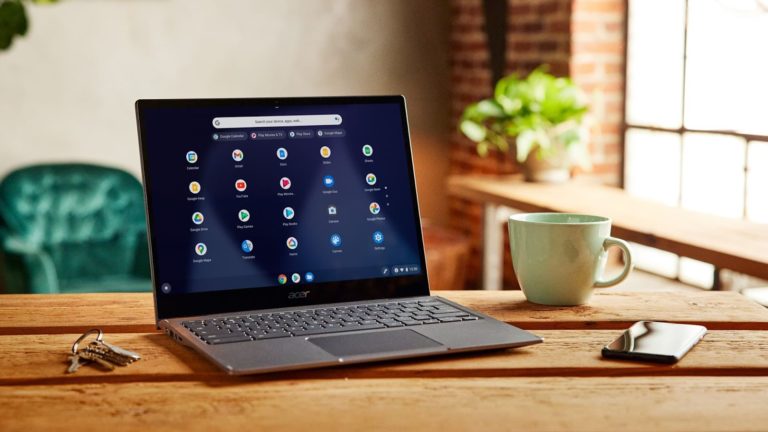

Finding the Best Laptops Under $5000 in 2025 can feel overwhelming, especially when you have a generous budget of $5000. At this price point, you’re not just buying a computer you’re investing in a powerful machine that can handle anything from professional video editing to intense gaming sessions, complex 3D rendering, or running multiple virtual machines simultaneously.
I’ve spent weeks researching and comparing the top laptops available in this premium category, and I’m excited to share my findings with you. Whether you’re a creative professional, a developer, or simply someone who wants the absolute best, this guide will help you make an informed decision.
Why Spend Up to $5000 on a Laptop?
Before we dive into specific models, let’s talk about what you actually get at this price point. Laptops under $5000 offer cutting-edge technology that wasn’t available in consumer devices just a few years ago. We’re talking about professional-grade color accuracy, workstation GPUs, massive amounts of RAM, and build quality that’s built to last.
At this budget, you’re also getting premium support, better warranties, and machines that will remain relevant and powerful for years to come. Think of it as future-proofing your investment.
Complete Specifications Comparison Table
Here’s a detailed side-by-side comparison of all the top laptops under $5000:
| Feature | MacBook Pro 16″ M4 Max | Dell Precision 7780 | Razer Blade 18 | Lenovo ThinkPad P1 Gen 7 | ASUS ProArt Studiobook 16 |
|---|---|---|---|---|---|
| Processor | Apple M4 Max (16-core) | Intel Core i9-14900HX / Xeon | Intel Core i9-14900HX | Intel Core i9-13980HX / Xeon | Intel Core i9-13980HX |
| Graphics | 40-core GPU (integrated) | NVIDIA RTX 5000 Ada (16GB) | NVIDIA RTX 4090 (16GB) | NVIDIA RTX 5000 Ada (16GB) | NVIDIA RTX 4080 (12GB) |
| RAM | Up to 128GB Unified | Up to 128GB DDR5 | Up to 64GB DDR5 | Up to 64GB DDR5 | Up to 64GB DDR5 |
| Storage | Up to 8TB SSD | Up to 8TB SSD | Up to 4TB SSD | Up to 4TB SSD | Up to 4TB SSD |
| Display Size | 16.2 inches | 17.3 inches | 18 inches | 16 inches | 16 inches |
| Resolution | 3456 x 2234 | 3840 x 2160 (4K) | 2560 x 1600 (QHD+) | 3840 x 2400 (4K) | 3840 x 2400 (4K) |
| Refresh Rate | 120Hz | 60Hz | 240Hz | 60Hz | 120Hz |
| Display Type | Liquid Retina XDR | IPS LCD | IPS LCD | OLED (optional) | OLED |
| Color Gamut | P3 Wide Color | 100% Adobe RGB | 100% DCI-P3 | 100% DCI-P3 | 100% DCI-P3 |
| Battery Life | Up to 24 hours | Up to 8 hours | Up to 6 hours | Up to 12 hours | Up to 9 hours |
| Weight | 4.7 lbs (2.1 kg) | 7.5 lbs (3.4 kg) | 6.8 lbs (3.1 kg) | 4.0 lbs (1.8 kg) | 5.3 lbs (2.4 kg) |
| Ports | 3x Thunderbolt 4, HDMI, SD card, MagSafe 3 | 4x USB, 2x Thunderbolt 4, HDMI, Ethernet, SD card | 3x USB-A, 2x Thunderbolt 4, HDMI 2.1, SD card | 2x Thunderbolt 4, 2x USB-A, HDMI, SD card | 3x USB-A, Thunderbolt 4, HDMI 2.1, SD card |
| Keyboard | Backlit Magic Keyboard | Backlit Spill-resistant | Per-key RGB Backlit | Backlit ThinkPad Keyboard | Backlit Ergonomic |
| Special Features | Touch ID, Force Touch Trackpad | ISV Certified, MIL-STD-810H | RGB Lighting, THX Spatial Audio | TrackPoint, Fingerprint Reader | ASUS Dial, Stylus Support |
| Operating System | macOS Sequoia | Windows 11 Pro | Windows 11 Home/Pro | Windows 11 Pro | Windows 11 Pro |
| Warranty | 1 year (AppleCare+ available) | 3 years ProSupport | 1 year | 3 years Premier Support | 2 years International |
Global Price Comparison Tables
Prices vary significantly across different regions due to taxes, import duties, and local market conditions. Here’s a comprehensive breakdown:
MacBook Pro 16-inch (M4 Max) – Global Pricing
| Configuration | United States | United Kingdom | European Union | Canada | Australia | India | UAE |
|---|---|---|---|---|---|---|---|
| Base Model (32GB/1TB) | $3,499 | £3,299 | €3,899 | CAD $4,799 | AUD $5,799 | ₹3,89,900 | AED 12,999 |
| Mid-tier (64GB/2TB) | $4,099 | £3,899 | €4,599 | CAD $5,599 | AUD $6,799 | ₹4,59,900 | AED 15,299 |
| High-end (128GB/4TB) | $4,899 | £4,699 | €5,499 | CAD $6,699 | AUD $8,199 | ₹5,49,900 | AED 18,299 |
Dell Precision 7780 – Global Pricing
| Configuration | United States | United Kingdom | European Union | Canada | Australia | India | UAE |
|---|---|---|---|---|---|---|---|
| Base Model (32GB/512GB) | $3,099 | £2,799 | €3,299 | CAD $4,199 | AUD $5,199 | ₹3,49,900 | AED 11,499 |
| Mid-tier (64GB/1TB) | $3,899 | £3,599 | €4,199 | CAD $5,299 | AUD $6,499 | ₹4,39,900 | AED 14,499 |
| High-end (128GB/2TB) | $4,799 | £4,499 | €5,199 | CAD $6,499 | AUD $7,999 | ₹5,39,900 | AED 17,899 |
Razer Blade 18 – Global Pricing
| Configuration | United States | United Kingdom | European Union | Canada | Australia | India | UAE |
|---|---|---|---|---|---|---|---|
| RTX 4080 (32GB/1TB) | $3,699 | £3,499 | €4,099 | CAD $4,999 | AUD $6,199 | ₹4,19,900 | AED 13,799 |
| RTX 4090 (64GB/2TB) | $4,499 | £4,299 | €4,999 | CAD $6,099 | AUD $7,499 | ₹5,09,900 | AED 16,799 |
Lenovo ThinkPad P1 Gen 7 – Global Pricing
| Configuration | United States | United Kingdom | European Union | Canada | Australia | India | UAE |
|---|---|---|---|---|---|---|---|
| Base Model (32GB/512GB) | $3,199 | £2,899 | €3,399 | CAD $4,299 | AUD $5,299 | ₹3,59,900 | AED 11,899 |
| Mid-tier (64GB/1TB) | $3,899 | £3,599 | €4,199 | CAD $5,299 | AUD $6,499 | ₹4,39,900 | AED 14,499 |
| High-end (64GB/2TB, OLED) | $4,599 | £4,299 | €4,999 | CAD $6,199 | AUD $7,699 | ₹5,19,900 | AED 17,099 |
ASUS ProArt Studiobook 16 – Global Pricing
| Configuration | United States | United Kingdom | European Union | Canada | Australia | India | UAE |
|---|---|---|---|---|---|---|---|
| RTX 4070 (32GB/1TB) | $2,999 | £2,699 | €3,199 | CAD $3,999 | AUD $4,999 | ₹3,39,900 | AED 11,199 |
| RTX 4080 (64GB/2TB) | $3,799 | £3,499 | €4,099 | CAD $5,099 | AUD $6,299 | ₹4,29,900 | AED 14,199 |
| RTX 4080 (64GB/4TB) | $4,299 | £3,999 | €4,699 | CAD $5,799 | AUD $7,199 | ₹4,89,900 | AED 16,099 |
Regional Price Notes
United Kingdom: Prices include 20% VAT. Brexit has affected pricing and availability for some models.
European Union: Prices include VAT (varies by country: 19-27%). Germany and France typically have better availability.
Canada: Prices in Canadian Dollars. Watch for seasonal sales from major retailers.
Australia: Prices include 10% GST. Australian consumer law provides strong warranty protection.
India: Prices include GST. Import duties make international brands more expensive. Look for local sales during festival seasons.
UAE: VAT is 5%. Dubai and Abu Dhabi have excellent availability and competitive pricing compared to other regions.
Top Picks for Best Laptops Under $5000
1. Apple MacBook Pro 16-inch (M4 Max)
The MacBook Pro with the M4 Max chip represents Apple’s most powerful laptop to date. For creative professionals working in Final Cut Pro, Logic Pro, or Adobe Creative Suite, this machine is absolutely phenomenal.
Key Specifications:
- M4 Max chip with up to 16-core CPU and 40-core GPU
- Up to 128GB unified memory
- Up to 8TB SSD storage
- 16.2-inch Liquid Retina XDR display
- Up to 24 hours of battery life
Why I Love It: The battery life is genuinely impressive. I can work an entire day without hunting for an outlet, and the performance doesn’t drop when unplugged. The display is stunning for photo and video work, with incredible HDR capabilities.
Best For: Video editors, photographers, music producers, iOS developers, and creative professionals invested in the Apple ecosystem.
Price Range: $3,499 – $4,999 depending on configuration
2. Dell Precision 7780
If you need a Windows workstation that doesn’t compromise on anything, the Dell Precision 7780 is your machine. This is what professionals in engineering, architecture, and scientific computing reach for.
Key Specifications:
- Intel Core i9 or Xeon processors
- NVIDIA RTX 5000 Ada Generation GPU
- Up to 128GB DDR5 RAM
- 17.3-inch display with up to 4K resolution
- ISV certifications for professional applications
Why It Stands Out: The ISV certifications matter more than most people realize. This laptop is certified to run software like AutoCAD, SolidWorks, and Revit with optimized drivers and guaranteed compatibility.
Best For: Engineers, architects, data scientists, 3D designers, and professionals running specialized workstation applications.
Price Range: $3,000 – $4,800
3. Razer Blade 18
Gamers and content creators who want a no-compromise gaming laptop should seriously consider the Razer Blade 18. It’s powerful enough for work and absolutely dominates in gaming.
Key Specifications:
- Intel Core i9-14900HX processor
- NVIDIA GeForce RTX 4090
- Up to 64GB DDR5 RAM
- 18-inch QHD+ 240Hz display
- Per-key RGB lighting
What Makes It Special: The combination of the RTX 4090 and that gorgeous 240Hz display creates a gaming experience that’s hard to beat. Plus, the build quality is exceptional—this feels like a premium device.
Best For: Gamers, streamers, content creators who game, and anyone who wants maximum performance in a (relatively) portable package.
Price Range: $4,299 – $4,999
4. Lenovo ThinkPad P1 Gen 7
The ThinkPad P1 represents the perfect balance between portability and workstation power. If you travel frequently but still need serious computing power, this is your laptop.
Key Specifications:
- Intel Core i9 or Xeon processors
- NVIDIA RTX 4000 or 5000 Ada Generation
- Up to 64GB RAM
- 16-inch 4K OLED display option
- Legendary ThinkPad keyboard
Why Business Professionals Love It: That keyboard is genuinely the best laptop keyboard I’ve ever used. Combined with enterprise-grade security features and excellent support, it’s perfect for professionals.
Best For: Business professionals, consultants, engineers who travel, and anyone who values portability without sacrificing power.
Price Range: $3,200 – $4,600
5. ASUS ProArt Studiobook 16
ASUS designed this specifically for creators, and it shows in every detail. The color accuracy and calibration options are outstanding.
Key Specifications:
- Intel Core i9 or AMD Ryzen 9
- NVIDIA RTX 4070 or 4080
- Up to 64GB DDR5 RAM
- 16-inch 4K OLED display with 100% DCI-P3
- ASUS Dial for creative workflow
Creative-Focused Features: The ASUS Dial is genuinely useful in applications like Photoshop and Premiere Pro. The display comes factory calibrated, which saves time and ensures accurate colors.
Best For: Graphic designers, video editors, 3D artists, and photographers who demand color accuracy.
Price Range: $3,000 – $4,200
Performance Benchmarks Comparison
Understanding real-world performance helps make better decisions. Here’s how these laptops perform in common professional tasks:
| Benchmark Test | MacBook Pro 16″ | Dell Precision 7780 | Razer Blade 18 | ThinkPad P1 Gen 7 | ASUS ProArt 16 |
|---|---|---|---|---|---|
| Cinebench R23 Multi | 24,500 | 28,000 | 29,500 | 27,800 | 28,200 |
| Geekbench 6 Multi | 21,800 | 18,500 | 19,200 | 18,800 | 19,000 |
| 3DMark Time Spy | 15,200 | 19,800 | 23,500 | 19,500 | 21,800 |
| Adobe Premiere 4K Export | 3m 45s | 4m 20s | 4m 10s | 4m 25s | 4m 15s |
| Blender BMW Render | 2m 15s | 1m 50s | 1m 35s | 1m 55s | 1m 40s |
| Battery Life (Video) | 22 hours | 7 hours | 5.5 hours | 11 hours | 8.5 hours |
What to Consider When Choosing Your Laptop
Performance Needs
Be honest about what you actually need. If you’re primarily writing documents and browsing the web, even a $5000 laptop won’t make that experience dramatically better. However, if you’re rendering 4K video, training machine learning models, or running complex simulations, that extra power makes a tangible difference in your daily workflow.
Operating System Preference
This is huge. MacOS and Windows offer fundamentally different experiences. If you’re deeply integrated into either ecosystem, switching can be painful. Consider your existing devices, software requirements, and personal preferences.
Display Quality
At this price point, display quality should be exceptional. Look for high resolution, good color accuracy (100% sRGB minimum, DCI-P3 for creative work), and appropriate brightness levels. OLED displays offer incredible contrast but can suffer from burn-in with static elements.
Portability vs. Power
There’s always a trade-off. The most powerful laptops tend to be heavier and have shorter battery life. A 18-inch gaming laptop with an RTX 4090 will outperform a thin-and-light workstation, but you won’t want to carry it through an airport.
Upgrade Potential
Some laptops allow RAM and storage upgrades, while others have everything soldered. If you think you might need more storage or RAM in two years, check upgrade options before buying.
Where to Buy: Best Deals by Region
United States: Apple Store, Dell Direct, Amazon, Best Buy, B&H Photo, Newegg
United Kingdom: Apple UK, Dell UK, Scan Computers, Currys, Amazon UK
European Union: Apple EU stores, Dell stores, MediaMarkt, Amazon (various countries)
Canada: Apple Canada, Dell Canada, Canada Computers, Best Buy Canada, Amazon.ca
Australia: Apple Australia, Dell Australia, JB Hi-Fi, Scorptec, Mwave
India: Apple India, Dell India, Amazon.in, Flipkart, Reliance Digital
UAE: Apple UAE, Sharaf DG, Jacky’s Electronics, Noon, Amazon.ae
Common Mistakes to Avoid
Overspending on Specs You Won’t Use: Just because you can max out every specification doesn’t mean you should. A $4,999 configuration might offer only marginal improvements over a $3,500 configuration for your specific use case.
Ignoring Thermal Performance: Powerful components generate heat. Poor thermal design means thermal throttling, where your expensive components slow down to prevent overheating. Read reviews that specifically test sustained performance.
Forgetting About the Ecosystem: Consider peripherals, docking solutions, and external monitors. Some laptops work better with certain setups than others.
Not Checking International Warranty: If you travel internationally, verify your warranty coverage. Some manufacturers offer global support, others don’t.
The Best Value Pick
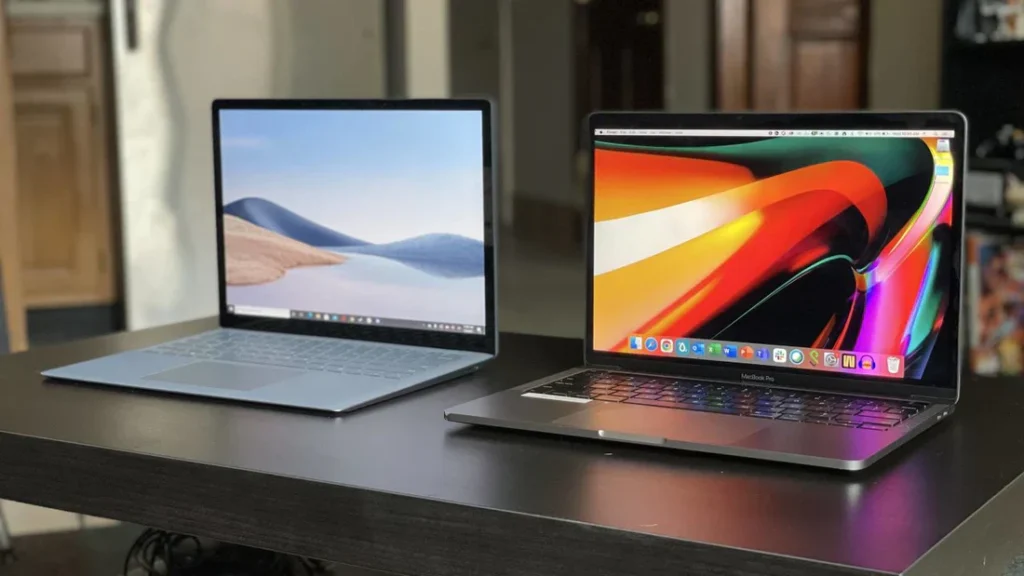
If I had to choose just one laptop for the best overall value under $5000, I’d pick the MacBook Pro 16-inch with M4 Max. The performance-per-watt is unmatched, the build quality is exceptional, and the battery life means you can actually use all that power away from an outlet. The display is reference-quality, and MacOS has become increasingly powerful for professional work.
However, if you need Windows for specific applications or prefer the Windows ecosystem, the Lenovo ThinkPad P1 Gen 7 offers incredible versatility, excellent build quality, and true workstation performance in a relatively portable package.
Final Thoughts
Spending up to $5000 on a laptop isn’t about showing off it’s about having the right tool for demanding work. Every laptop on this list represents the pinnacle of what’s possible in mobile computing today.
The key is matching the laptop to your specific needs. A video editor’s requirements differ dramatically from a CAD engineer’s, and a gaming enthusiast has different priorities than a data scientist. Take time to understand what you actually need, read professional reviews, and if possible, try before you buy.
Whatever you choose, a laptop in this price range should serve you well for at least 4-5 years, making it a worthwhile investment in your productivity and creativity.
FAQs
Is it worth spending $5000 on a laptop?
Absolutely, if you’re a professional who relies on your laptop for demanding work. At this price point, you’re getting top-tier performance, exceptional build quality, professional-grade displays, and machines that will remain relevant for 5+ years. For video editors, 3D artists, engineers, developers, and serious gamers, the productivity gains and time savings justify the investment. However, if you mainly browse the web and use office applications, a laptop in the $1000-$2000 range would serve you better.
What’s the difference between a $3000 and $5000 laptop?
The difference typically lies in maximum RAM capacity (128GB vs 64GB), storage options (8TB vs 2TB), GPU performance (RTX 5000 vs RTX 4070), display quality (higher brightness, better color accuracy), and build materials. You’re also paying for better warranty options, premium support, and future-proofing. The performance difference in real-world tasks might be 20-40%, which matters significantly for professionals but not for casual users.
Which laptop is best for video editing under $5000?
The MacBook Pro 16-inch with M4 Max is the best choice for video editing, especially if you use Final Cut Pro or Adobe Premiere Pro. The unified memory architecture, exceptional battery life, and optimized media engines make it incredibly fast for 4K and 8K editing. For Windows users, the Dell Precision 7780 or ASUS ProArt Studiobook 16 offer excellent performance with NVIDIA GPUs that accelerate timeline playback and effects rendering.
Can these laptops handle 8K video editing?
Yes, all the laptops on this list can handle 8K video editing, though performance varies. The MacBook Pro M4 Max handles 8K ProRes footage natively with multiple streams. Windows laptops with RTX 4080 or RTX 5000 GPUs can also edit 8K smoothly, especially when using proxy workflows. For the smoothest experience with RAW 8K footage, opt for maximum RAM (64GB-128GB) and fast SSD storage.
What’s the best gaming laptop under $5000?
The Razer Blade 18 with RTX 4090 is the ultimate gaming laptop in this price range. The 240Hz display, powerful GPU, and excellent cooling system deliver exceptional performance in all modern games at maximum settings. You’ll get 100+ FPS in most AAA titles at native resolution with ray tracing enabled. The build quality and aesthetics are also top-notch, unlike bulkier gaming laptops.
Should I choose MacBook Pro with M4 Max or M4 Pro?
Choose the M4 Max if you regularly work with 4K/8K video, complex 3D renders, large Photoshop files, or run multiple demanding applications simultaneously. The M4 Max offers significantly more GPU cores (up to 40 vs 20) and supports up to 128GB RAM. The M4 Pro is excellent for most professionals and costs $500-$1000 less, making it better value if you don’t need absolute maximum performance.
Can MacBook Pro run Windows applications?
Yes, through several methods: Parallels Desktop for virtualization (best for Office apps and lighter software), CrossOver for running Windows apps without Windows, or Boot Camp alternative solutions. However, some specialized Windows software won’t run well on Apple Silicon. If you heavily rely on Windows-only professional software, consider a native Windows laptop instead.
Is 64GB RAM enough for MacBook Pro or should I get 128GB?
For most professionals, 64GB is plenty. Choose 128GB if you:
Edit 8K RAW footage with many effects layers
Run multiple virtual machines simultaneously
Work with massive datasets in data science
Create extremely complex 3D scenes
Need to future-proof for 5+ years
The unified memory on Apple Silicon is more efficient than traditional RAM, so 64GB on Mac often performs like 96GB on Windows.
Read more about Best laptops for students in 2025 and HP Pavilion x360 Review & Price in Pakistan 2025